
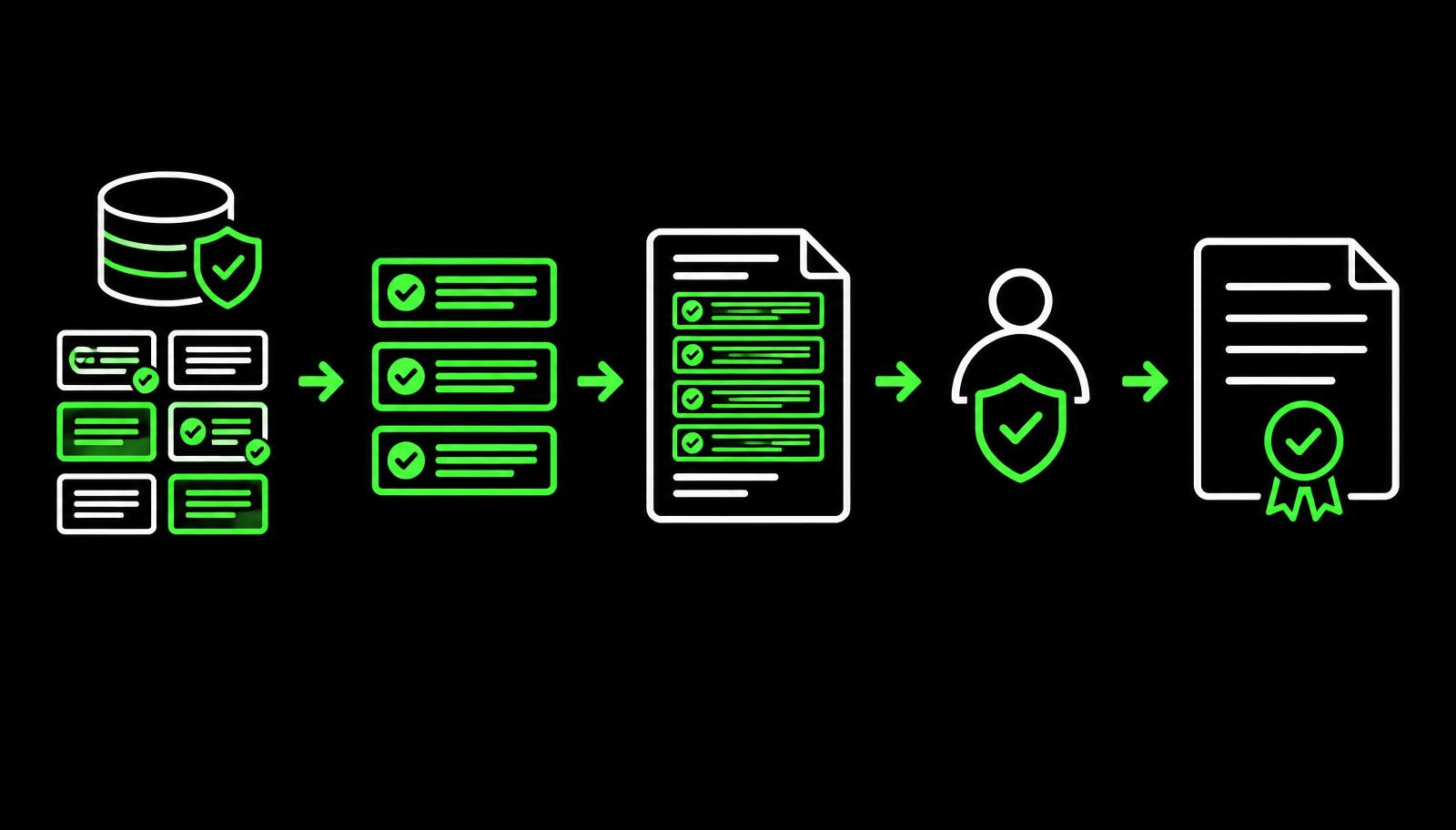
A contract may look like a simple document, but creating one often involves several people, approved language, business rules and legal review. When contracts are created manually, teams spend significant time finding the right template, copying clauses, checking versions and making sure the final document follows company standards.
This is where contract authoring and a clause library become important. Contract authoring provides a structured way to create and edit contracts, while a clause library gives teams access to approved, reusable contract language. Together, they make contract creation more consistent and controlled.
In ServiceNow, these capabilities form part of a broader contract lifecycle process. To understand that wider process, see our guide to ServiceNow contract lifecycle management.
What is contract authoring?
Contract authoring is the process of creating, editing, reviewing and preparing a contract for approval and execution. A typical contract starts with a standard template. Business users then provide information such as:
- Customer or supplier details
- Contract dates
- Products or services
- Pricing and commercial terms
- Payment conditions
- Renewal requirements
- Special business requirements
Depending on the agreement, certain clauses may also need to be added, removed or modified. Without a structured authoring process, this work becomes heavily dependent on Word documents, email attachments and individual knowledge. That makes it harder to know whether the latest approved language is being used.
Why is contract authoring difficult?
The challenge is not simply creating a document. It is creating the right document, using the right language and the right version of that language.
Consider a sales team preparing a customer agreement. The salesperson may start with an old contract saved on their computer. Legal may then replace several clauses, procurement may request additional terms, and the customer may send back its own changes. Now there are several versions of the same agreement, which raises questions such as:
- Which version is current?
- Were approved clauses used?
- Who changed the document?
- Has legal reviewed the latest version?
- Which terms were negotiated?
- Can the same language be reused in future contracts?
A structured authoring process helps answer these questions.
What is a clause library?
A clause library is a centralised collection of approved contract clauses that can be reused when creating agreements. Instead of searching through old contracts for appropriate wording, users select clauses from an approved collection. Examples might include clauses for:
- Confidentiality
- Payment terms
- Liability
- Data protection
- Intellectual property
- Termination
- Renewal
- Governing law
- Service levels
The purpose is not simply convenience. A clause library helps organisations control which language is available for use and reduces unnecessary variation across contracts.
Why not just keep clauses in Word documents?
A shared folder of Word files may provide access to contract language, but it does not provide strong governance. Users may download an old version, copy a clause incorrectly or modify approved wording without realising it.
A managed clause library takes a more controlled approach. Organisations define which clauses are approved, maintain them centrally and make them available during contract creation. This is particularly useful for organisations that manage large numbers of similar agreements.
How do contract authoring and clause libraries work together?
The two capabilities address different parts of the same problem. Contract authoring provides the environment for building the agreement. The clause library provides approved language to use within that agreement.
Imagine a company creating a software services agreement. The user starts with an approved template. Based on the requirements, the contract may need a standard confidentiality clause, a particular payment clause and an additional data protection clause. Rather than manually searching through previous contracts, the user selects the appropriate approved clauses from the library. The resulting document then moves through review and approval before execution.
Template vs clause library
Templates and clause libraries are related, but they are not the same thing. A template provides the overall structure of a contract: standard headings, sections, formatting and commonly used language. A clause library contains individual pieces of contract language that can be reused across different agreements.
For example, a company might have separate templates for:
- Master service agreements
- Non-disclosure agreements
- Supplier agreements
- Statements of work
The same approved confidentiality or governing-law clause may be relevant across several of these templates. That is why maintaining both templates and reusable clauses makes contract creation more consistent.
How does contract authoring fit into ServiceNow CLM?
Contract authoring is one part of the broader contract lifecycle. The process typically begins with a request or intake. The agreement is then prepared, reviewed, negotiated, approved and executed. After execution, the organisation still needs to manage obligations, renewals, amendments and other contract events, which is where renewal and obligation tracking takes over.
Authoring sits towards the beginning of the lifecycle, but the information created during authoring remains important throughout the contract's life. A structured CLM platform connects these stages rather than treating the contract document as an isolated file.
How does ServiceNow support contract authoring?
ServiceNow Contract Management Pro supports contract authoring using Microsoft Word and approved templates. ServiceNow also provides capabilities for managing reusable clauses and supporting contract review and approval, which helps bring contract creation into a more controlled workflow.
For example, instead of a salesperson creating an agreement from an old local document, the process can start from an approved template and use controlled contract language. The contract then moves through the appropriate review and approval process before execution. ServiceNow also supports contract repositories, document comparison, approvals and electronic signatures, connecting document creation with the wider contract management process.
Does a clause library eliminate legal review?
No. A clause library is not a replacement for legal judgement. Its purpose is to make commonly used, approved language easier to find and reuse. Legal teams may still need to review non-standard terms, customer-requested changes, unusual risks or significant deviations from approved language.
For example, a standard limitation-of-liability clause may be appropriate for most agreements. If a customer requests substantially different liability terms, the change may require additional review. The clause library helps establish the standard. It does not determine whether every exception should be accepted.
How should clauses be governed?
A clause library is only useful when its content is maintained properly. Organisations should establish processes for:
- Creating and approving clauses
- Identifying clause owners
- Reviewing clauses periodically
- Retiring outdated language
- Controlling access and usage
- Managing changes to approved wording
Without governance, a clause library can eventually become another collection of outdated content. The goal is to make it clear which language is currently approved and appropriate for use.
What does good contract authoring look like?
A well-designed contract authoring process makes it easier for users to create agreements without sacrificing control. Users should be able to start from the appropriate template, access approved clauses, provide required information, collaborate with reviewers and understand where the agreement is in the approval process. At the same time, legal and business teams should have visibility into exceptions and non-standard changes.
The result is a process that balances speed, consistency and control. Where those agreements carry service commitments to customers, the signed terms should flow into entitlements and service contracts in CSM, and the commercial terms often trace back to a quote built in ServiceNow CPQ.
The bottom line
Contract authoring is more than editing a document. It is about creating agreements using a controlled and repeatable process. A clause library complements this by providing approved, reusable contract language. Together, they reduce manual searching, improve consistency and give organisations greater control over how contracts are created. In ServiceNow, these capabilities form part of a broader CLM process that connects contract creation with review, approval, execution and ongoing contract management. When budgeting for this capability, check how contract management is packaged in your ServiceNow CRM licences.
Frequently asked questions
What is contract authoring?
Contract authoring is the process of creating, editing, reviewing and preparing a contract for approval and execution.
What is a clause library?
A clause library is a centralised collection of approved and reusable contract clauses that users can select when creating agreements.
What is the difference between a contract template and a clause library?
A template provides the overall structure of an agreement, while a clause library provides individual pieces of approved contract language that can be reused across different agreements.
Does a clause library replace legal review?
No. It provides approved standard language, but legal review may still be required for exceptions, negotiated changes and non-standard contractual terms.
Can clause libraries automatically create contracts?
A clause library provides reusable contractual language, but the overall contract still depends on the appropriate template, business information, rules, review and approval process.
Why use contract authoring in ServiceNow?
ServiceNow can bring templates, clauses, authoring, review, approval and broader contract management into a connected process, reducing reliance on disconnected documents and manual workflows.